

Email alerts and summaries
Low-balance alerts, bill reminders, a weekly digest and a monthly report — and how to turn each one off.
Tandilo can email you before something goes wrong, and keep you in the loop without opening the app. Choose what you get in Settings → Notifications. Each budget has its own settings.
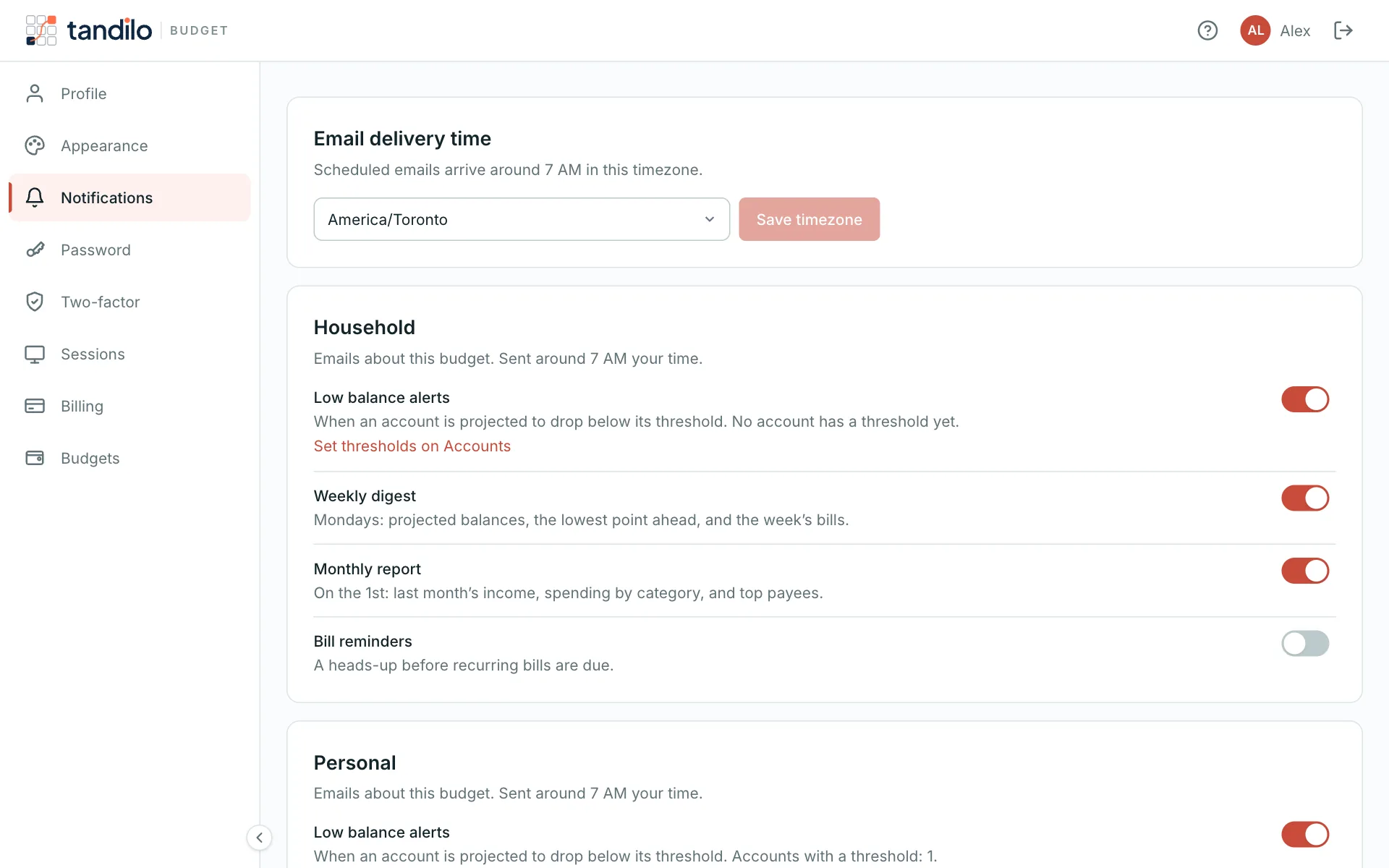
Budget emails
- Low balance alerts — when an account is projected to drop below its warning amount within 30 days. You get one email per new dip, not one a day.
- Weekly digest — Mondays: balances, the lowest point ahead and the week's bills and income.
- Monthly report — on the 1st: last month's money in and out, top categories and top payees.
- Bill reminders — off by default. Choose 1, 3 or 7 days ahead, and a minimum amount so only the big bills trigger a reminder.
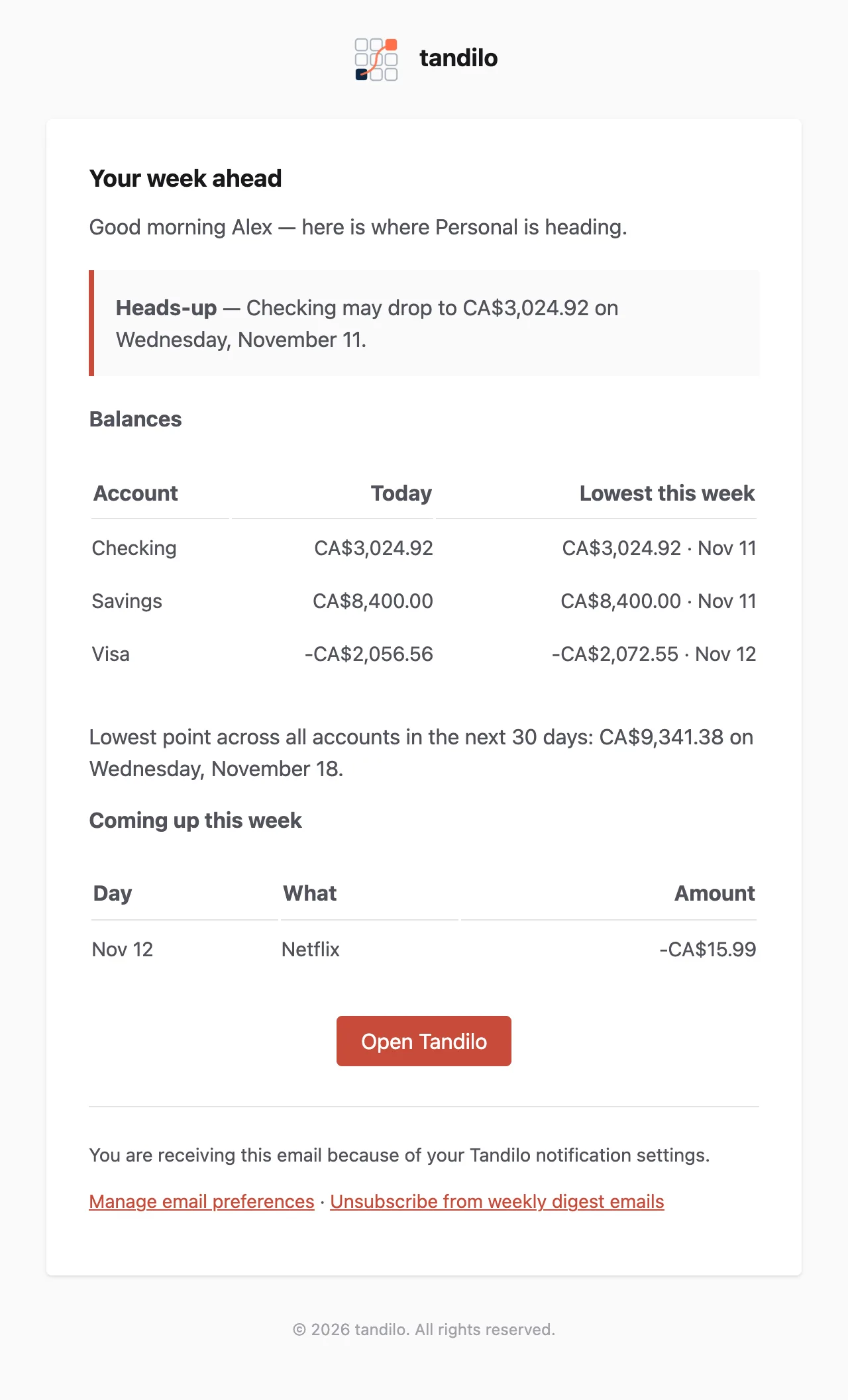
Scheduled emails arrive around 7 AM in your timezone. Tandilo detects your timezone automatically; you can change it at the top of the Notifications settings.
Emails from Tandilo
- Tips and setup reminders — a few emails while you're getting started.
- Feedback requests — now and then, a one-question survey.
- Product news — only if you opted in.
Unsubscribing
Every one of these emails has an unsubscribe link at the bottom that works without signing in. Account emails — email verification, password resets, invitations and replies from support — are always sent.
Still stuck?
Write to us — a human answers every message, usually within 1–2 business days.
Contact support