

Transfers and credit-card payments
Move money between your accounts, and let Tandilo size a card payment to the full balance.
A transfer moves money between two accounts in the same budget — checking to savings, or checking to a credit card. It's recorded as a pair: money leaves one account and arrives in the other, so your total doesn't change.
Recording a transfer
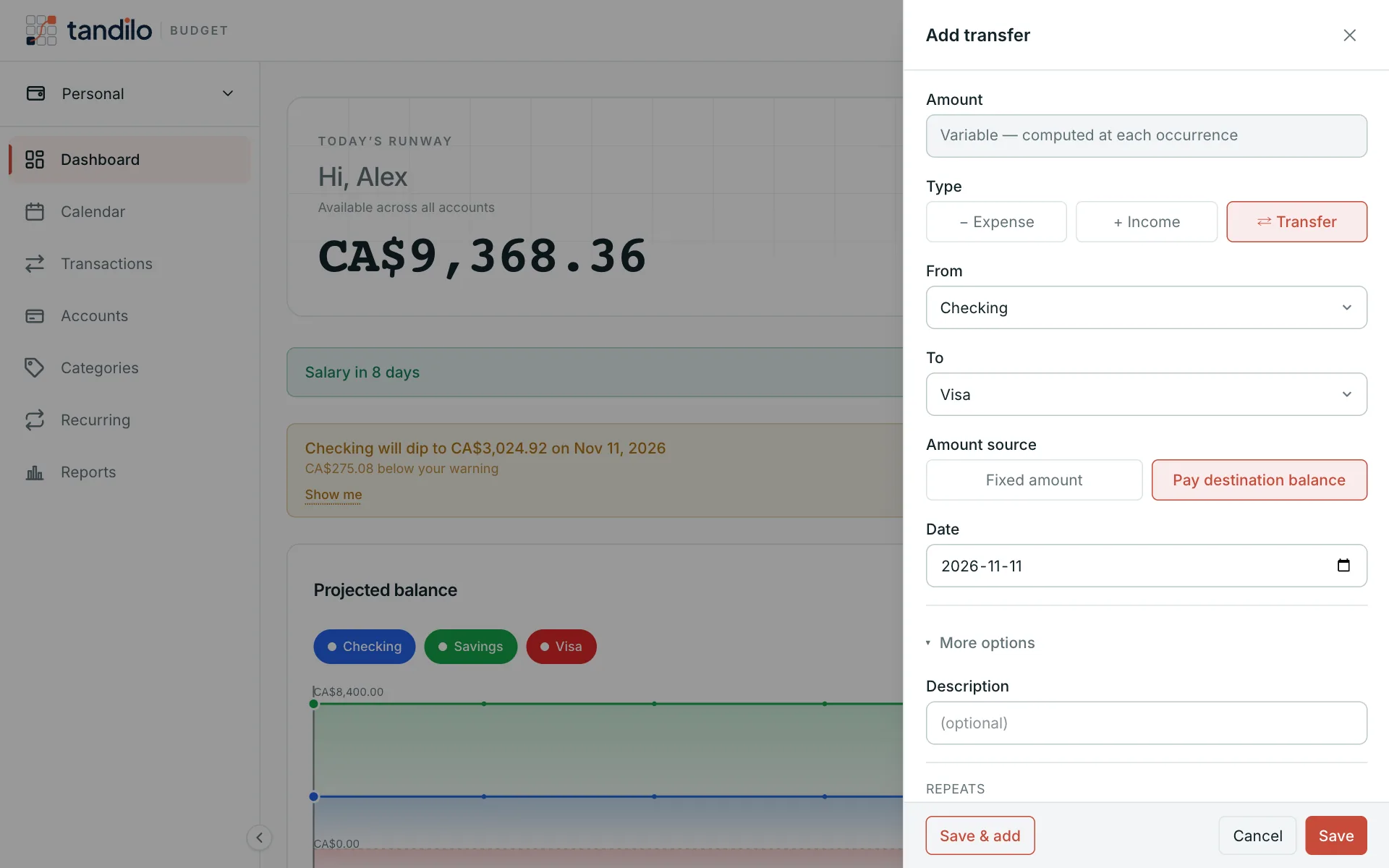
Choose Add transfer (or Transfer in the transaction form), then pick From, To, the amount and the date. The accounts can't be changed after the transfer is recorded; delete it and record a new one instead.
Paying a credit card in full
For a card payment, choose Pay destination balance instead of a fixed amount. Tandilo sizes the payment to whatever the card owes on that day — including purchases you recorded or scheduled before it. When the payment shows on your statement, mark it Cleared: the amount is then frozen at what was actually paid.
Automatic payments
Make a transfer recurring to model an auto-pay, for example "pay the Visa in full on the 15th". With Variable — computed at each occurrence, each month's payment matches that month's card balance, so the projection on your checking account is right weeks ahead.
Still stuck?
Write to us — a human answers every message, usually within 1–2 business days.
Contact support