

Transactions and cleared items
Record what actually happened, mark it cleared, and keep the projection honest.
Transactions are the real entries in your ledger: a grocery run, a refund, an unexpected repair. Open Transactions, or use Add transaction on the dashboard or calendar.
Adding a transaction
Pick Expense, Income or Transfer, then fill in the amount, date, account, and optionally a description, payee and category. After saving, the form stays open so you can log the next one.
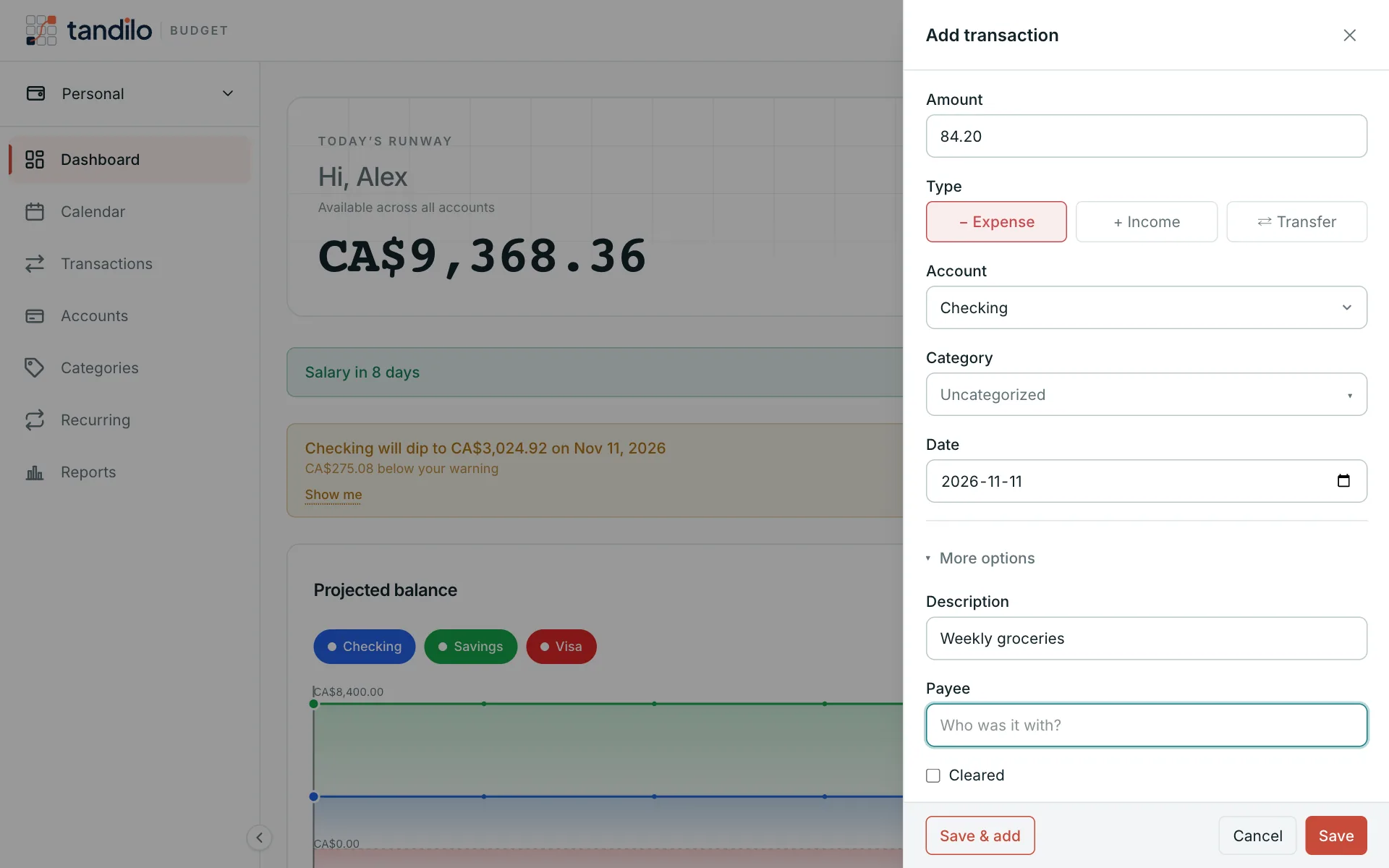
Cleared
Mark a transaction Cleared once it shows up on your bank statement. It's a simple way to reconcile: anything not cleared is still "on its way".
Turning a transaction into a recurring item
Open More options and set Repeats to make it recurring — useful when you notice a new subscription.
Exporting
Premium members can use Export CSV on the Transactions page to download the transactions shown (it opens in any spreadsheet). See Plans and billing.
Still stuck?
Write to us — a human answers every message, usually within 1–2 business days.
Contact support